📌 Quick Summary
Outsourced I.T. support includes help desk and remote support, data backup, proactive monitoring, patching and network management, delivered by an outside provider for a monthly fee. For Ontario businesses, switching providers involves an asset inventory, a credential handover, backup verification and a clear picture of one-time and recurring costs. AccuIT prices its managed plans per user per month.
💼 What Is Outsourced I.T. Support?
Why Does Switching I.T. Support Providers Feel So Risky?
Outsourced I.T. support is an arrangement in which an outside provider takes day-to-day responsibility for a business’s technology for a monthly fee. That covers the help desk staff call, the monitoring that runs in the background and the backups you hope you never need.
Many Canadian businesses already use outside specialists. Statistics Canada asked businesses without cyber security employees in 2023 why they had none, and the most common answer, from 47%, was that they relied on consultants or contractors instead. The survey covered businesses with 10 or more employees.
Still, owners across the Greater Toronto Area and the Golden Horseshoe often delay switching over fears of downtime, lost passwords and surprise costs. Structured onboarding addresses all three.
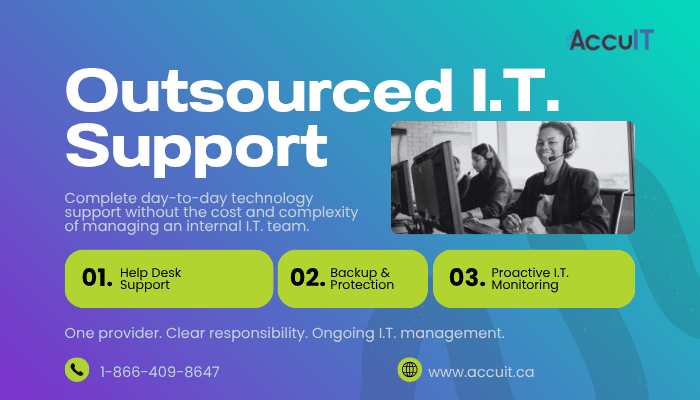
🧰 What Services Does Outsourced I.T. Support Include?
What Is Covered in a Managed I.T. Agreement?
Outsourced I.T. support typically includes help desk, remote and on-site support, backup, monitoring, maintenance and network management under one agreement. With AccuIT, managed I.T. services include:
- ✅ Ongoing support and monitoring based on your managed service plan
- ✅ Remote I.T. support, with on-site visits when an issue needs hands-on work
- ✅ Data backup, including secure off-site copies and Microsoft 365 backup
- ✅ Proactive monitoring of servers, workstations and the network
- ✅ Preventative maintenance and patching
- ✅ Server and workstation support
- ✅ Firewall, Wi-Fi and VPN management
Three related services are available separately from AccuIT: emergency I.T. support for outages and ransomware incidents, I.T. roadmaps and hardware procurement. Coverage depends on the agreement, so know what managed I.T. services usually leave out before signing.
📋 What Happens During the Outsourced I.T. Onboarding Process?
What Does the Initial I.T. Assessment Cover?
The outsourced I.T. onboarding process starts with an assessment and a complete I.T. asset inventory, covering every workstation, server, network device, cloud service and user account. The Canadian Centre for Cyber Security recommends that small and medium organizations list all of their information systems and assets, whether owned, contracted or otherwise used. For a Hamilton manufacturer, that list includes shop-floor computers. For a Mississauga retailer, it includes point-of-sale terminals.
The I.T. documentation handover follows. Gather these in one place:
- ✅ Administrator credentials
- ✅ Software licence records
- ✅ Network diagrams
- ✅ Vendor and warranty contacts
AccuIT starts with a complimentary remote I.T. infrastructure assessment that reviews current systems without disrupting operations. The onboarding timeline depends on the number of users, locations and systems, and on the quality of the documentation being transferred.
🔑 How Should Administrator Credentials Be Handled When Changing I.T. Providers?
Why Do Least Privilege and Multi-Factor Authentication Matter on Day One?
When changing I.T. providers, do three things on the day responsibility transfers:
- ✅ Close the former provider’s accounts
- ✅ Enforce multi-factor authentication
- ✅ Keep master credentials under your business’s control
The stakes are real. Verizon’s 2026 Data Breach Investigations Report, a global study spanning organizations of all sizes, found third-party involvement in 48% of breaches, up 60% from the previous year. In a 2022 joint advisory, the Canadian Centre for Cyber Security and international partners warned that attackers target managed service providers because of the privileged access they hold.
Ask the incoming provider what access and data it needs, and confirm that your business keeps ownership of its data and master credentials.
💾 Why Does Backup Verification Come First in Any I.T. Transition?
How Do You Confirm Restores Before the Old Provider Leaves?
Backup verification comes first because a provider transition can leave backup jobs with no clear owner. The Cyber Centre recommends backing up systems that hold essential business information and regularly verifying that backup and restore work as expected.
Onboarding should confirm what is protected. AccuIT’s backup covers:
- ✅ Files
- ✅ Servers, including VMware virtual servers
- ✅ SQL Server databases
- ✅ Windows system state and Active Directory, the system that manages user logins
- ✅ Microsoft 365 email, OneDrive and SharePoint
A test restore should follow, along with a check on point-in-time versioning, so a file can be restored as it existed on a specific date.
Watch the overlap. The outgoing provider’s jobs may stop before the new ones start, so get the backup handover date confirmed in writing.
AccuIT’s data backup services use hybrid on-site and cloud options, pairing secure off-site copies with fast local restores.
📈 What Does Managed I.T. Support Look Like Once Onboarding Is Complete?
What Should Monthly Monitoring and Reporting Include?
After onboarding, managed I.T. support settles into continuous monitoring, routine patching, clear incident roles and monthly reporting.
AccuIT’s proactive I.T. monitoring uses thresholds tuned to each environment, so alerts point to real problems instead of creating noise. Patching and preventative I.T. maintenance become routine. The Cyber Centre recommends automatic patching. Verizon’s 2026 report, again a global dataset, found that exploiting software vulnerabilities, at 31%, has overtaken stolen credentials as the leading way attackers get in.
In steady state, a business in Burlington or Oakville should have ongoing support and monitoring based on its managed service plan. It should also receive monthly reports on system performance, maintenance completed and recommended improvements.
💰 How Much Does Switching I.T. Support Providers Cost?
What Are the One-Time and Recurring Costs?
Switching I.T. support providers involves two kinds of cost. One-time costs include setup fees, overlap months and remediation work. On top of those comes the recurring monthly fee for the service itself.
Ask any provider, including AccuIT, for onboarding costs in writing before signing. Remediation often means unsupported equipment, and the Cyber Centre recommends assessing whether to replace software and hardware that can no longer receive updates.
Recurring costs depend on the plan. AccuIT prices managed plans per user per month. Add-ons such as secure off-site backup and server monitoring are priced separately, and non-contracted support is billed hourly. Current rates are listed on AccuIT’s Plans and Pricing page.
AccuIT recommends quoting remediation findings separately, ranked by priority, so you decide what happens now and what waits.
💡 How Can You Make the Switch to Outsourced I.T. Support With Confidence?
What Should a Well-Run I.T. Transition Plan Leave Behind?
A well-run transition leaves five things in place:
- ✅ A complete asset inventory
- ✅ Secured credentials your business owns
- ✅ Verified backups
- ✅ Active monitoring
- ✅ A clear picture of costs
If you check only two things, make them credentials and backups. Both are simple to confirm before the old provider leaves and hard to fix after. The onboarding inventory then becomes the baseline for strategic I.T. planning.
❓ Common Questions About Outsourced I.T. Support
How long does it take to switch I.T. support providers?
The onboarding timeline depends on the number of users, locations and systems, and on the quality of the documentation being transferred. AccuIT begins with a complimentary remote I.T. infrastructure assessment, which gives Ontario businesses a clearer picture of the work involved before the transition to outsourced I.T. support begins.
Does outsourced I.T. support include on-site visits?
It can, depending on the agreement. AccuIT handles issues through secure remote support where possible and sends technicians on-site when a problem needs hands-on work, such as hardware installation or network faults. Businesses across the Greater Toronto Area and the Golden Horseshoe should confirm in writing how on-site visits are covered and scheduled.
Can I switch I.T. providers before my current contract ends?
Usually, yes, but check your current agreement’s notice period first, since you may pay both providers during the overlap. Plan the credential handover and backup changeover for the same date. AccuIT’s complimentary assessment helps Ontario businesses plan both steps together before committing to a changeover date.
What should I ask before switching I.T. providers?
Ask what network and system access the new provider needs, how former accounts will be closed, and whether multi-factor authentication will be enforced. Confirm what data is backed up and when a test restore will happen. AccuIT recommends also requesting a written list of one-time and recurring costs before signing.
📞 Where to Start
Book a complimentary I.T. infrastructure assessment to see exactly what a transition would involve for your business. Call AccuIT at 1-866-409-8647 or contact the AccuIT team online.